
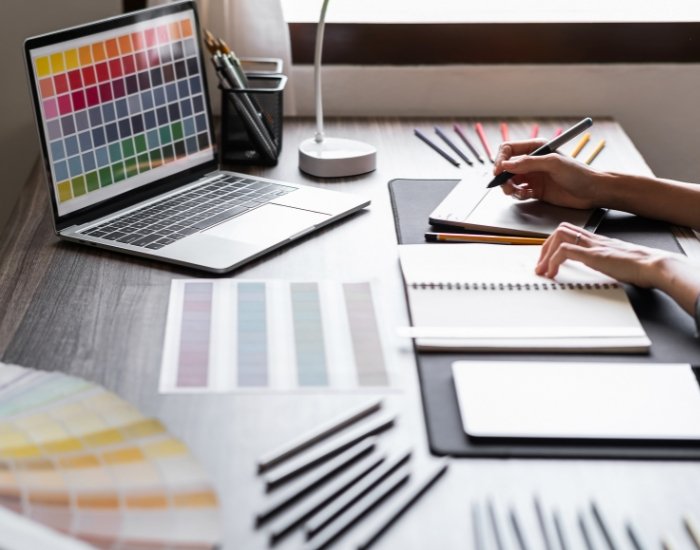
In the world of branding, a professional logo is more than just an image — it’s the visual heartbeat of your business identity. With the rise of tools like Adobe Illustrator and the integration of artificial intelligence (AI) features, the process of crafting custom logos has become more efficient, more precise, and more creative than ever. For businesses in Chicago, where competition runs high and brand distinction is vital, leveraging Illustrator and AI in your logo design and branding strategy offers a modern competitive edge.
Table of Contents
- Why Custom Logo Design Matters for Branding
- The Role of Adobe Illustrator in Logo Creation
- How AI Is Transforming Custom Logo Design
- Workflow: Illustrator + AI for Custom Logos
- Branding Considerations When Using Illustrator and AI
- Chicago‑Focused Benefits of Custom Logo Workflows
- Final Thoughts
1. Why Custom Logo Design Matters for Branding
Custom logo design forms the foundation of effective branding. A logo tailored specifically to your business communicates your unique values, differentiates you from competitors, and provides a visual cue that customers associate with your brand. In Chicago’s bustling marketplace, a generic or templated logo rarely makes a memorable impression. When you invest in a custom logo design, you’re not only acquiring a symbol — you’re building a brand asset that reflects your identity, supports your marketing efforts, and grows with your business. The uniqueness of a custom logo ensures consistency across media, promotes recognition, and reinforces your professional image.
2. The Role of Adobe Illustrator in Logo Creation
Adobe Illustrator remains the industry standard for logo creation and brings powerful features that support high‑quality branding. Because logos must scale from tiny icons to large signage without loss of quality, Illustrator’s vector‑based design environment is indispensable. According to Adobe’s own tutorials: “Use vector shapes in Illustrator to create a logo that looks good onscreen and in print.” Adobe Help Center+1 Illustrator enables designers to build precise custom paths, align shapes with Smart Guides, and define separate color elements for branding use. Add to that its ability to export multiple file types (AI, EPS, SVG, PDF) and you have a workflow capable of handling print, web, and large‑format branding assets. For Chicago businesses working with signage, vehicle wraps, business cards, and digital channels, Illustrator ensures your logo will look sharp everywhere.
3. How AI Is Transforming Custom Logo Design
Artificial intelligence is influencing logo design in profound ways. The injection of AI features into software like Illustrator enables design workflows to be faster and more innovative. For example, Illustrator has received generative‑AI enhancements such as “Generative Shape Fill” and “Text to Pattern,” which simplify complex design tasks. The Verge AI can generate iterations, suggest design options, and refine assets, providing designers with a base from which to create. However, while AI accelerates ideation and preliminary design, it does not replace the need for human creativity, brand strategy, and final refinement. The ideal approach merges AI’s efficiency with a designer’s insight, resulting in custom logos that are both original and brand‑aligned.
4. Workflow: Illustrator + AI for Custom Logos
Combining Illustrator with AI leads to a refined custom logo workflow:
- First, gather the brand brief: understand objectives, audience, personality, and market.
- Use AI tools within Illustrator (or compatible platforms) to generate variations: shapes, layouts, motifs, color palettes.
- Import, refine, and build these variations inside Illustrator: adjust typography, perfect vector paths, ensure scalability.
- Create multiple logo formats and lock in branding elements: color styles, icons, wordmarks, secondary marks.
- Export a complete logo asset pack: AI file for future editing, EPS/SVG for scalability, PNG/JPG for immediate digital use.
- Apply logo across brand materials: signage, business cards, web presence, packaging — ensuring consistent branding.
This workflow allows businesses to benefit from AI speed while maintaining control over brand integrity and delivering a high‑quality custom logo.
5. Branding Considerations When Using Illustrator and AI
When you engage in custom logo design using Illustrator and AI, there are important branding‑specific considerations. Brand consistency is key: your logo must reflect your brand messaging, visual identity, and customer experience. AI‑generated elements must be vetted to ensure originality and avoid design clichés. With Illustrator, you must maintain vector integrity so your logo scales and prints correctly. Moreover, you should think long‑term: will your logo support future brand extensions, changes in format, or new product lines? For Chicago businesses, where branding touches digital, physical, local signage, and event formats, a logo crafted with Illustrator and tuned via AI must be versatile, durable, and brand‑safe.
6. Chicago‑Focused Benefits of Custom Logo Workflows
For businesses in Chicago — from neighborhood cafés to downtown agencies — a custom logo design process powered by Illustrator and AI brings specific advantages. Local competition is fierce, meaning your brand must stand out visually and conceptually. Using Illustrator ensures your logo is signage‑ready and can be adapted for local marketing materials, neighborhood events, and community branding efforts. AI helps you explore multiple design directions quickly, enabling faster iteration and refining until your logo resonates with your local audience. Ultimately, a logo created via this workflow becomes a strategic asset that enhances your brand presence in Chicago’s dynamic market.
7. Final Thoughts
Incorporating Illustrator and AI into your custom logo design process allows you to work smarter — not harder — while producing professional, scalable, brand‑aligned logos. For businesses in Chicago, where branding must be distinctive, high‑quality, and adaptable, this combined approach delivers the assets you need to succeed. A custom logo isn’t just an image — it’s a foundational brand tool that supports your identity, marketing, and growth. Embrace the power of Illustrator, harness the potential of AI, and craft a logo that speaks clearly to your audience now and for years to come.
If your Chicago business is ready to elevate its brand with a custom, high‑quality logo designed using Illustrator and modern AI workflows, Chicago Logo Design is here to help. From ideation to final delivery, we specialize in logo design and branding solutions that reflect your identity, scale across all platforms, and stand out in Chicago’s competitive market. Explore how custom logo design powered by Illustrator and AI can transform your brand identity today.
Recent Comments